
More time. More page.
Margin is a browser for iPhone that opens straight to a search, keyboard up, with nothing in the way of the page. Your tabs live in spaces, and the ones you stop using put themselves away.
Opens TestFlight, Apple’s app for testing apps. Needs an iPhone with iOS 27 or later.
Margin 0.4 is in public beta.
Margin for Mac is coming. It will sync with your iPhone.
-
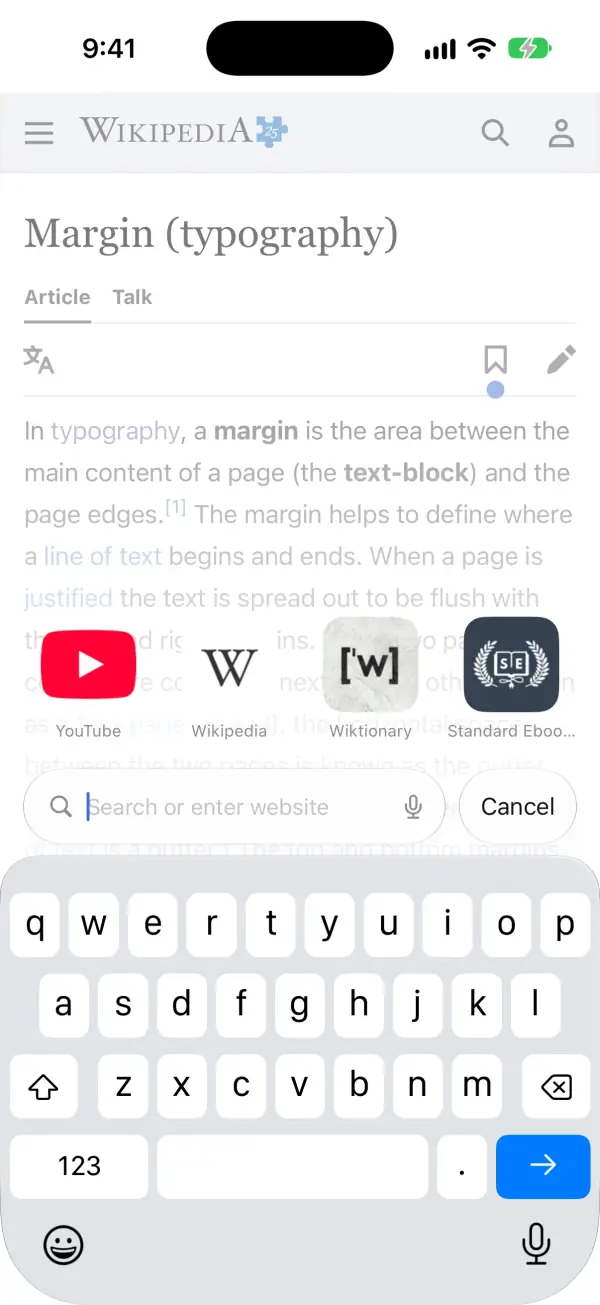
Margin opens to a search, with your pins above the keyboard. -
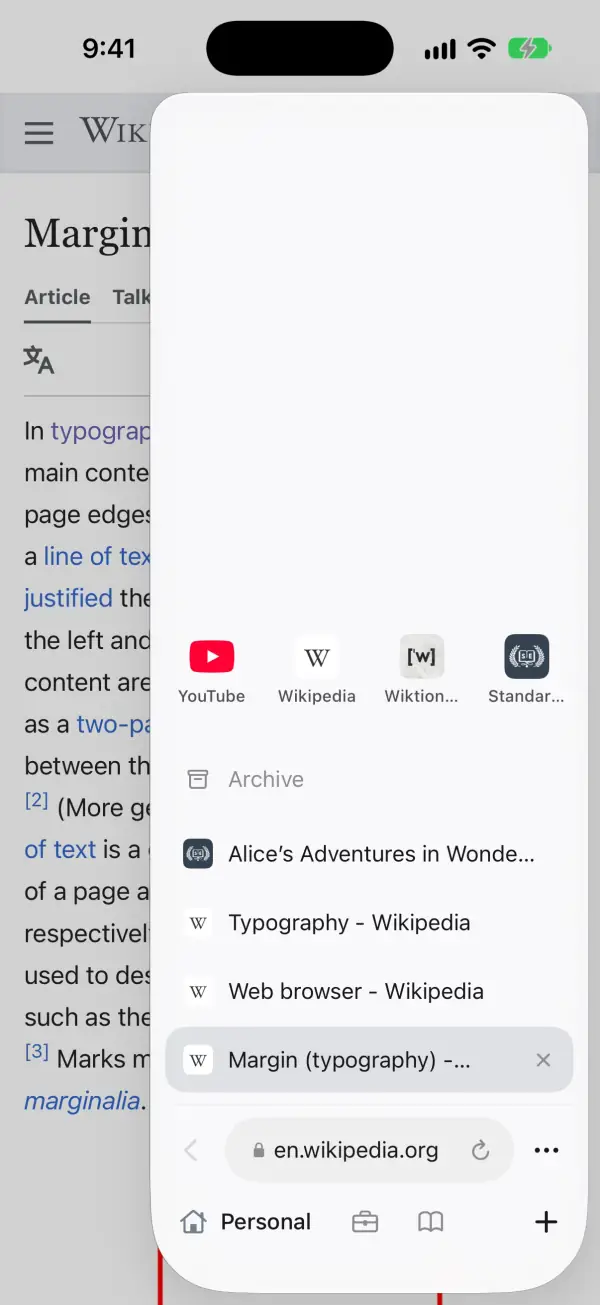
Pull from the right edge for your tabs, newest by your thumb. -
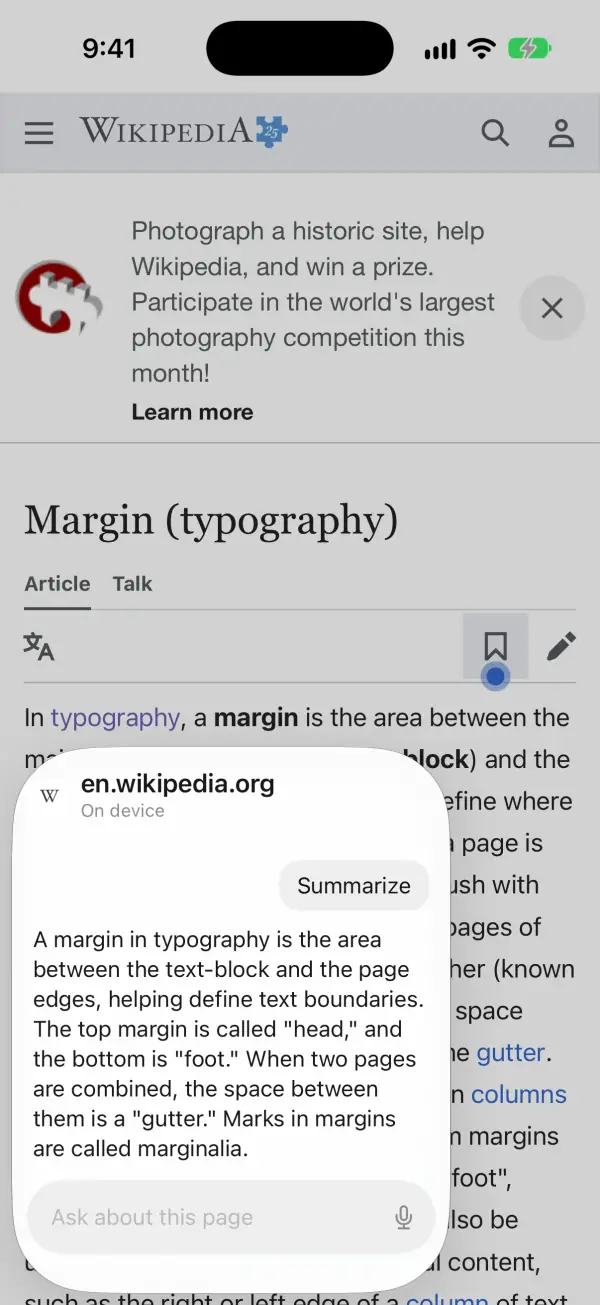
Pull from the left edge to ask about the page you’re on.


What Margin does
Opens ready to search
Margin starts at a new search with the keyboard up and your pins just above it. Come back after more than five minutes away and it’s ready again. As you type, it suggests pages from your history and tabs you already have open. Tap the mic to say it instead.
To open on your last page instead, turn off “Open to a new search” in Settings.
Spaces
Keep personal, work and reading tabs apart. Each space has its own pins and tabs, its own symbol and colour, and keeps its page where you left it.
Switch with the space button, or from the bottom of the tabs panel. Hold a space there to edit it or add another.
The space and new-tab buttons can sit in either bottom corner.
Tabs that put themselves away
A tab you haven’t looked at for a day moves to its space’s archive, and so does a tab you close. Search the archive by title or site and bring a tab back with a tap. Pins stay, and so does the tab in front.
Set the wait in Settings: 12 hours, or 1, 3, 7 or 30 days.
A tabs panel by your thumb
Pull from the right edge for your tabs, with your pins on top and the newest tab at the bottom, by your thumb. Swipe a tab left to close it, or hold it to move it. Back, the address and Reload sit along the bottom. More has Forward, Share, Copy Link, Find on Page and Pin Tab.
Ask about a page
Pull from the left edge to summarize the page you’re reading, list its key points, have it explained simply, or ask your own question.
Answers come from Apple Intelligence on your iPhone. Needs an iPhone with Apple Intelligence turned on.
Rather swipe back? Set the left edge to “Go back” in Settings. Ask stays in the More menu.
Lighter pages
Margin blocks common ad and tracking networks inside WebKit, before their requests are made, and folds away the empty boxes their ads leave. A site’s requests to itself are never blocked. Videos wait for you to tap play.
Built in. Nothing to set up.
You decide what a site can use
When a site wants your camera, microphone or motion sensors, Margin asks you first and names the site. Only the page you’re looking at can ask, and only for itself. Anything embedded in it from another site is turned down without a question.
The real site, always
The address names the site whose page you’re on. A long name loses its front first, so the site itself stays in view, and plain http pages say Not Secure beside it.
A name in another script shows in the xn-- form WebKit loads, so a lookalike can’t pass for a site you know.
Your history stays on your phone
History suggests pages as you type, and Margin never sends it anywhere. There are no accounts and no analytics. Searches go to the engine you pick: Google, DuckDuckGo, Bing, Ecosia, Startpage, Kagi, Brave Search or Qwant.
Try Margin
The beta is on TestFlight, for iPhones with iOS 27 or later. Margin for Mac is coming.